What are auctions?
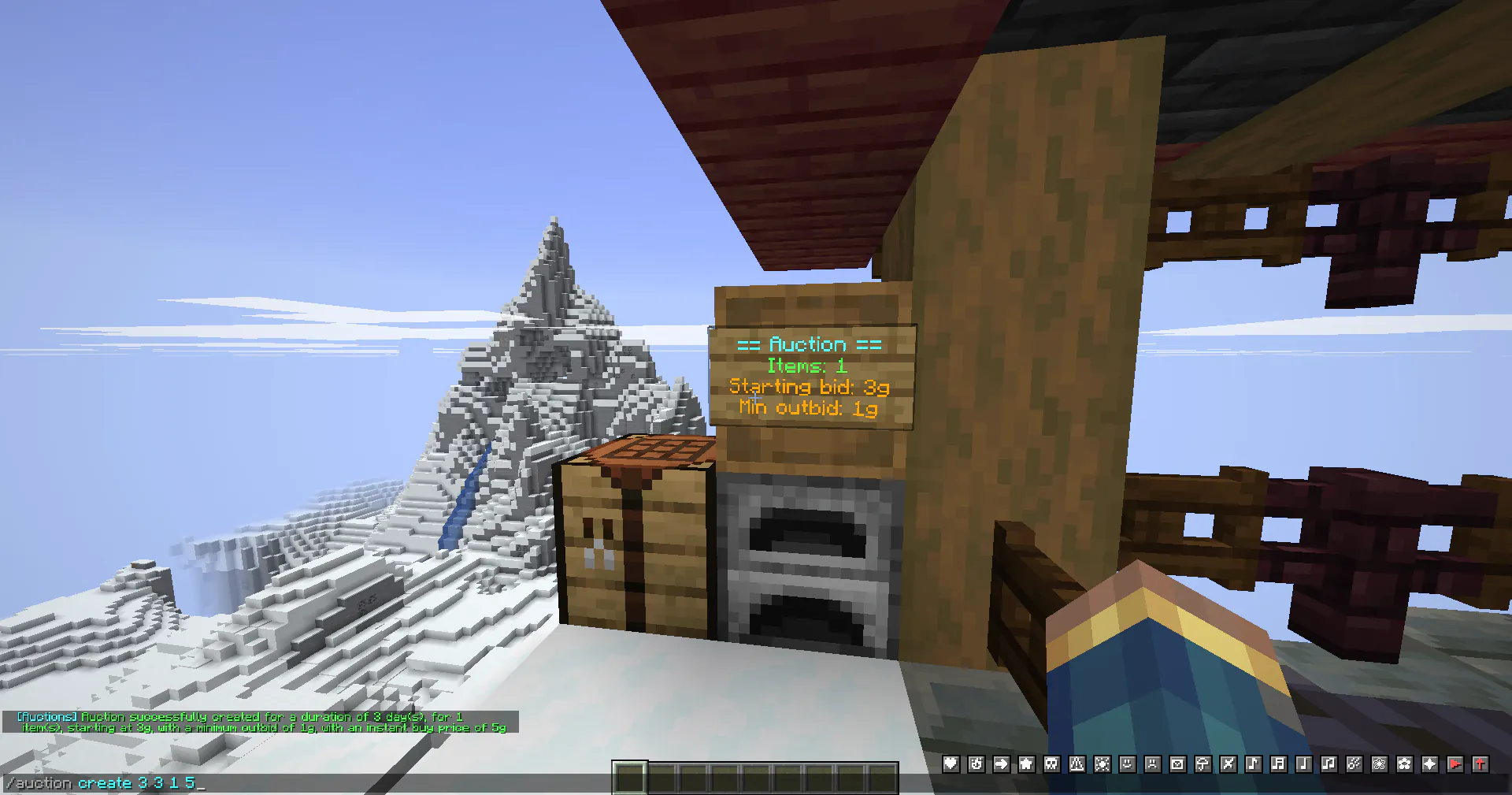 Auctions are shop-like signs that allow players to sell items through a bidding system, where participants place bids against each other and the highest bidder purchases the item.
How to create an Auction
Auctions can only be created:
- in claimed land
- on a shop plot (
/plot set shop) - chest or barrel, where there is empty space in front for a sign
It is important to note that auction items are not kept in the container. They are withdrawn by the server and saved virtually. The owner can retrieve the items by simply breaking the container, and ending the auction.
Command Usage: /auction create {duration days} {starting bid} [outbid amount] [instant sell price]
Fields:
- Duration: How many days this auction should go for (1 to 7 days)
- Starting: The minimum amount a bid can be (1g or more)
- Outbid [optional]: Specify the minimum amount players must outbid existing bids by. Default 1g.
- Instant [optional]: Specify an instant selling price for this auction. Allows players to
/auction buyto immediately end the auction & win the items at that price. Default -1 (disabled)
Price fields can be modified at anytime using /auction modify {field} {new amount}. E.g. /auction modify outbid 3
This is also available in the form of buttons by right-clicking an auction you own

How to participate in an Auction
- Preview the items
/auction previewor right-click the auction - Check the minimum bid you can make
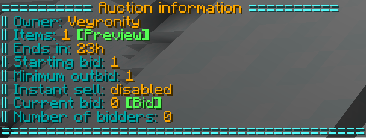
Auction information available in/auction infoas well as left-clicking an auction.
If the auction has no bids, you can bid the starting amount (or higher). If the auction has any bids, you must outbid the current bid with the required outbid amount set by the auction. - Make your bid
Use/auction bid {amount}or click the "Bid" button in Auction info.
If you were charged successfully, your bid will be registered. Otherwise, you'll get an error message.
How do bids work
When you bid on an auction, your bid amount is immediately withdrawn from your balance. This is to avoid fake-bids and keep things fair.
- You can at anytime revoke your bid with
/auction revokeand receive a refund. - If you get outbid, you will be notified if you're online, or the next time you log on.
- If you'd like to increase your bid, you will only pay the difference from your current bid. You cannot decrease your bid.
- When the auction ends. if you won, you will receive your items in
/claim. Otherwise, you will be refunded your bid.
Different ways auctions can end
- Default way
The auction duration passing - Owner intervention
Auction owners can end auctions early using/auction end - Instant-sale
If the auction has instant selling enabled, any player may use/auction buyto immediately buy the items at that price. - Container broken
As mentioned above, if the owner breaks the container, the items will directly be returned to them.
However, if the auction container is broken by anyone other than the owner, the items will drop naturally at that location. - Chunk overclaimed
Since when a chunk gets overclaimed all items in containers are returned to the mayor, same logic applies to auctions.
Common logic for all endings
Everyone who did not win the items receives their bid back.